
Account
Your settings, licence and data
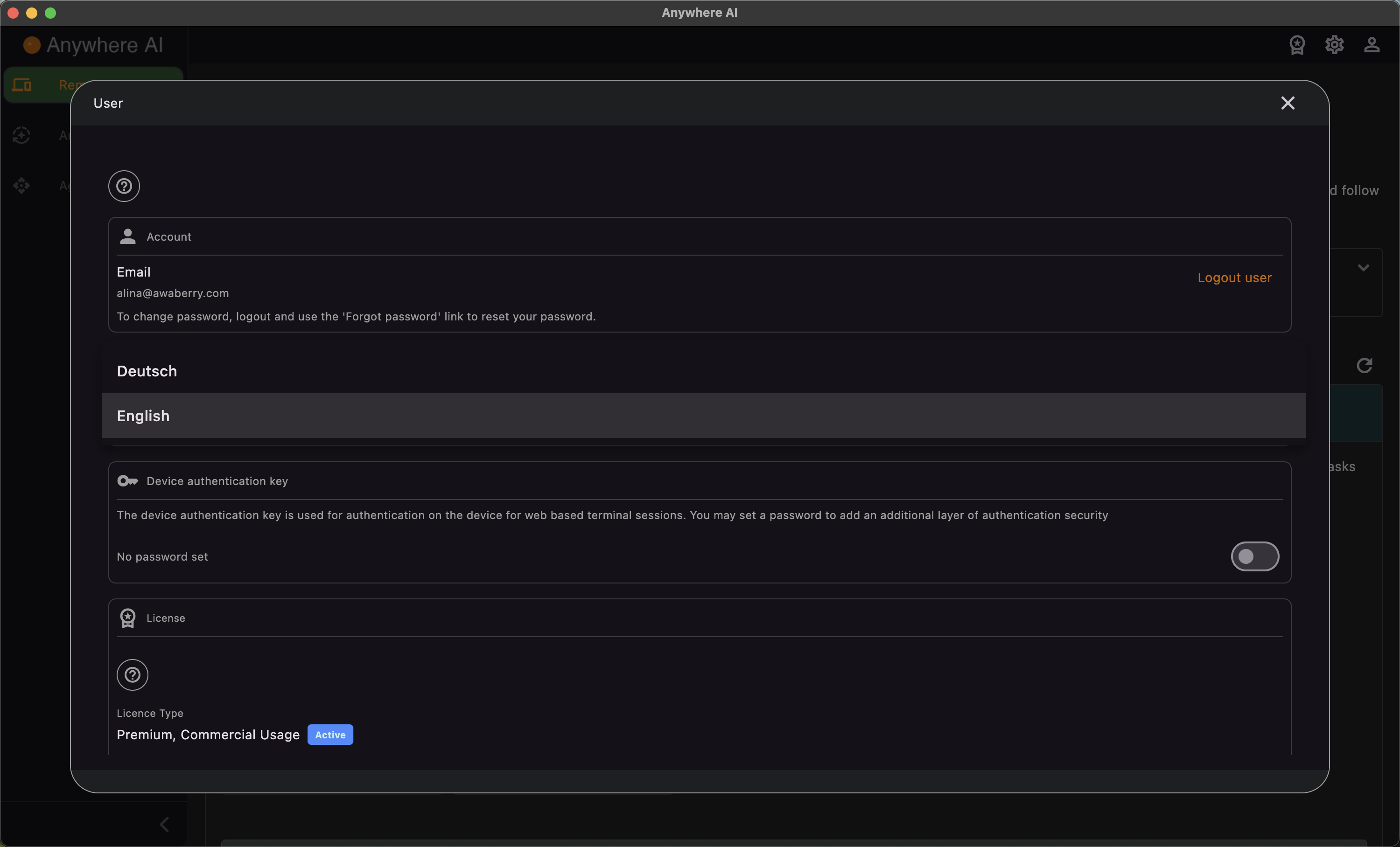
The Account area brings together everything about your Anywhere AI subscription and personal settings. It is a single scrolling page: rather than separate menu entries, each setting lives as a section you scroll to — your user details, language, security, licence and billing, daily usage, optional intelligence provider, S3 storage, stored data, support, and account deletion.
What you can do here
- Licence & billing — view your current licence, edit your plan, start a trial or request a research licence.
- Optional intelligence provider — set your own Google Gemini or Anthropic Claude API key, and configure S3 storage for the file browser.
- Language — choose the language the app is shown in.
- Terminal options — control how the Intelligent Terminal behaves: end-to-end encryption, autoplay of received commands, a reduced terminal height, and language.
- Security — set a Device Authentication Key and two-factor authentication that protect the end-to-end encryption of your device connections.
- Support — open the user manual, use the contact form, report a bug or report abuse.
- Data & privacy — see what data is stored about you, review your daily usage, delete your account or uninstall.
- Change password — log out and use the Forgot password link on the sign-in screen to set a new one.
- Logout — sign out from the top of the account page.
On macOS and Windows the account menu entry may be reached through the app rather than the side menu, but the same settings are available.
Open your account settings
- Select Account (the user icon) in the menu.
- Scroll to the section you need — licence, intelligence provider, security, data & privacy and so on are all sections of the same page.
- Make your changes and save.
View your plan, upgrade, start a trial or request a research licence.
Set your Google Gemini or Anthropic Claude API key and configure S3 storage for the file browser.
Protect the encryption of your device connections with a Device Authentication Key and 2FA.
Review stored data and usage, delete your account or uninstall.